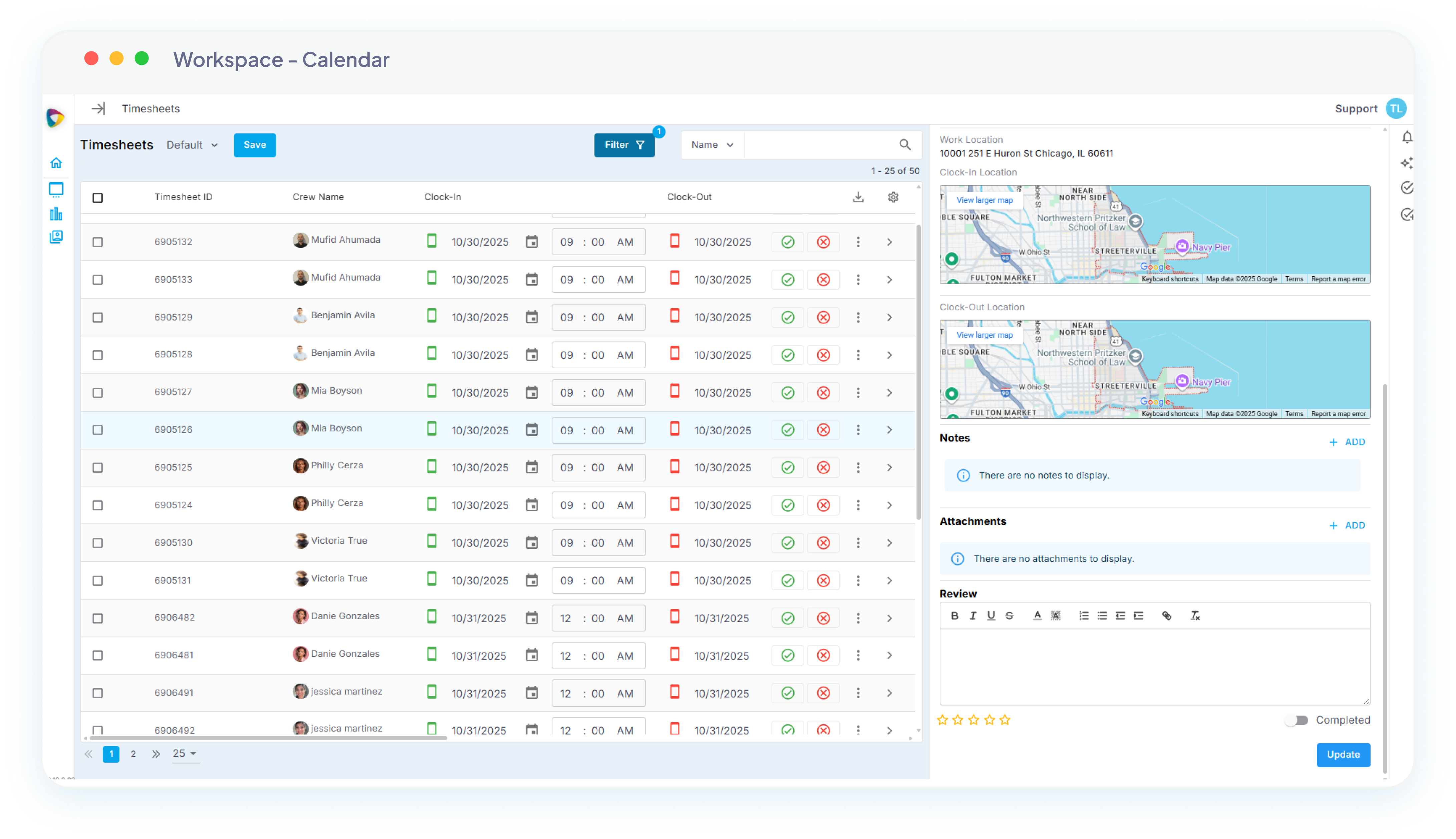
Most staffing platforms treat client management as a contact list. NextCrew built it as the relationship layer of your business.
Staffing agency CRM software keeps the client relationship and the operational work in one record: rates, preferred talent, portal permissions and revenue against each client, rather than contacts in one system and jobs in another. In NextCrew, job orders, timesheets and invoices pull from the client record automatically, so every relationship runs cleanly without anyone keeping it in their head.
WHAT MAKES US DIFFERENT
Built For Staffing Relationships, Not Retrofitted From Generic CRM Software.
Generic CRM software manages contacts. NextCrew manages the entire client relationship (rates, portals, preferred Crew, revenue, and risk) connected to the operational work.
Rates configured at the client, not the order
Set regular, OT, shift differential, and holiday rates once at the client level. Every order, timesheet, and invoice pulls the correct rates, automatically, every time.
Client portal you control, per client
Configure exactly what each client can do: from timesheet approval only, to full order placement, Crew ratings, and invoice access. Web and mobile. Not a one-size-fits-all bolt-on.
Preferred talent pools per client
Each client gets a vetted Crew list. When orders are placed, only their preferred workers surface: your full workforce stays private, the client gets the workers they trust.
Client Health AI watches every account
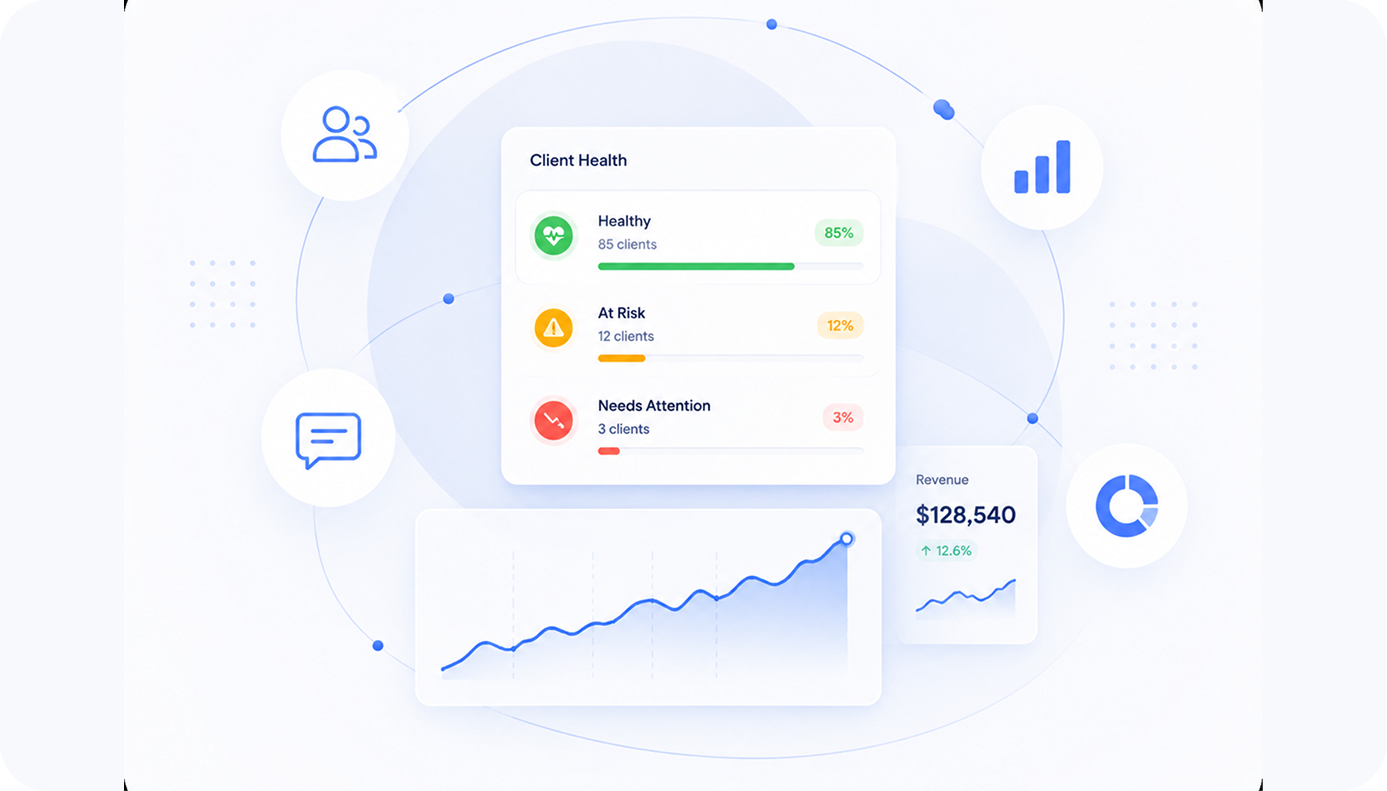
Every client account gets ranked by revenue, hours filled, and gross margin, measured against that client's own baseline, not an industry average. Accounts running below your margin floor surface with the reason attached.
HOW IT WORKS
How Staffing CRM Software Works In NextCrew: One Client Journey, Three Experiences.
Coordinators run operations. Clients self-serve what they need. Account managers see the relationship health. All from the same client record.
Coordinator
Run client operations from one record
Open the client. See rates, preferred Crew, active orders, pending timesheets, and recent activity. Everything connected, nothing in a separate spreadsheet.
Place orders against pre-configured client rates
See which workers are preferred for this client
Review communication and order history in one place
Client
Self-serve what they want, managed where they don't
Each client gets the portal experience their account manager configured. From timesheet approval only, to full order placement, ratings, and invoice access.
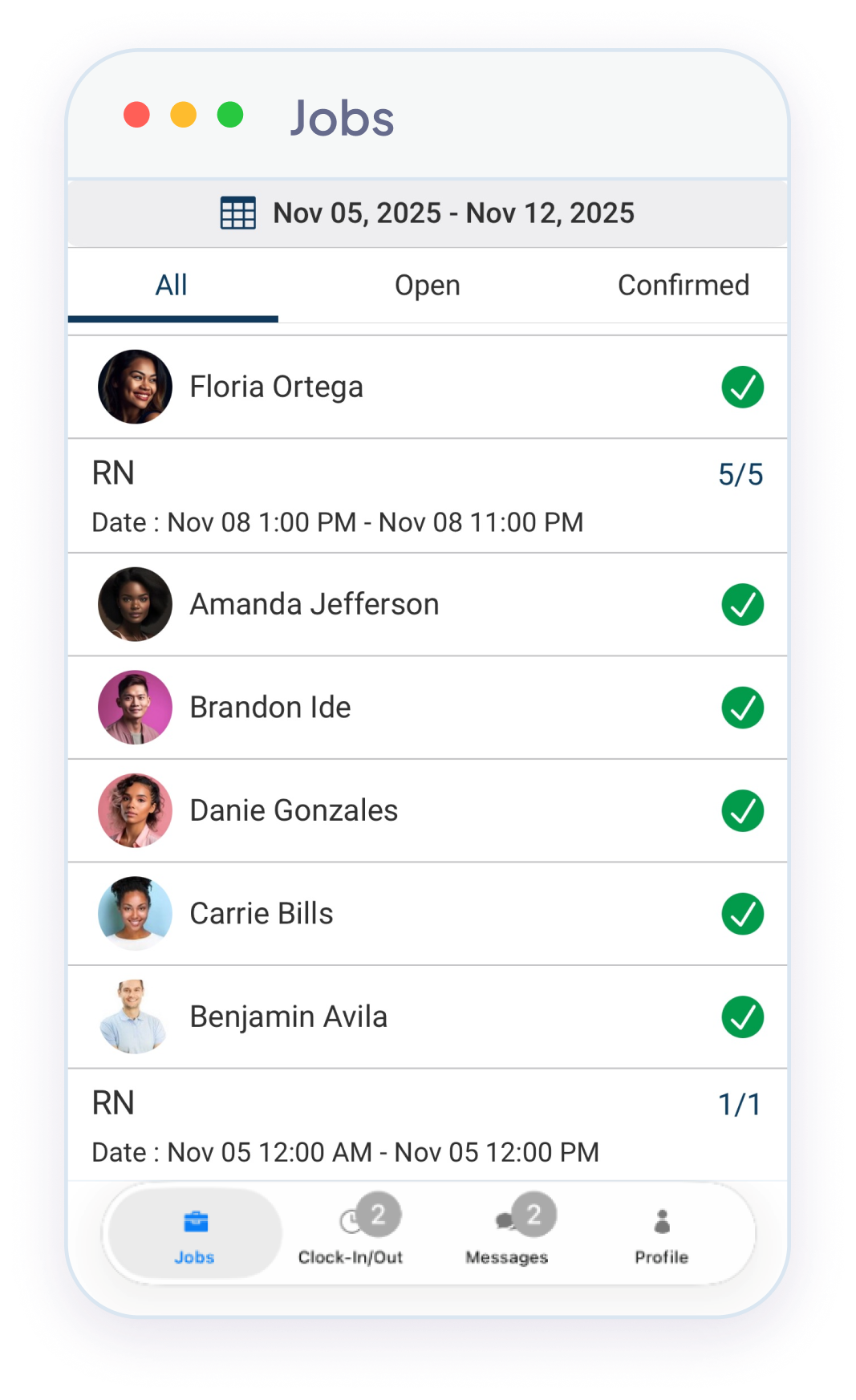
Place orders directly from web or mobile
Approve timesheets with one tap
View invoices, rate sheets, and Crew rosters
Account Manager
See relationship health before it shows up in revenue
A dashboard of every client account: revenue, fill rate, engagement, and AI-detected signals. Know which relationships are healthy and which need a call this week.
Live revenue and order-volume trend per client
Client Health AI signals surfaced with context
Pipeline view of prospects, conversations, and tasks
FUNCTIONS
The Capabilities That Turn Client Management From A Memory Game Into A System.
Each capability solves something most agencies do manually today, and most CRM software can't do at all because it wasn't built for staffing.
Clients call and email for everything they could do themselves
Configurable client self-service portal
Web and mobile portal where each client gets the access their account manager configures: order placement, timesheet approval, Crew ratings, invoice viewing, document access. Permissions set per client, not platform-wide.
Coordinators chase timesheet sign-off across email threads
Timesheet approval inside the client portal
Clients see pending timesheets in their portal and approve with one tap. The moment approval hits, the timesheet moves into the invoicing queue. No email chains, no chasing, no billing delays caused by missing sign-off.
Rate lookups happen every order, every invoice
Rate configuration at the client level
Configure regular, OT, shift differential, and holiday rates once for each client. Every job order pulls the right rates; every timesheet calculates correctly; every invoice bills accurately, without anyone looking anything up.
Prospect conversations and follow-ups live in inboxes
Prospect pipeline with tasks and conversation log
Track prospects through configurable stages with conversation history, follow-up reminders, and task assignments. When a prospect signs, one status change converts them: contacts, rates, and history carry across instantly. No re-entry.
Same vetted Crew has to be re-selected on every order
Preferred talent pools per client
Each client has their own vetted Crew list, built from past placements, ratings, and credentials. New orders surface only those workers. Your full workforce stays private; the client gets the people they already trust.
Revenue per client lives in a month-end spreadsheet
Real-time client revenue & engagement metrics
Track revenue, order volume, fill rate, approval timing, and portal activity per client, live, not at month-end. Account managers know which clients are growing, which are drifting, and which haven't placed an order in weeks.
A WEEK IN THE LIFE
What Your Account Team's Week Looks Like Today, And What It Could.
WITHOUT NEXTCREW
WITH NEXTCREW
Without NextCrew
A long-time client emails a new order. Your coordinator opens the rate sheet folder, searches for last quarter's rate change, picks workers from a mental list of who that client likes, and re-keys the order. Twenty minutes per order, every time.
With NextCrew
The client placed the order themselves from their phone. The right rates applied automatically. The preferred Crew surfaced. The order is on the schedule before a coordinator has touched it.
Midweek your coordinator is sending second-request emails to clients who still haven't approved last week's timesheets. Billing pushes a full week because three accounts haven't replied.
Pending timesheets appear in each client's portal automatically. Most clients approve from their phone within 24 hours. Approved timesheets flow into invoicing the same day. Billing runs on the same week's hours.
A client disputes the OT rate on an invoice. Someone digs through email threads for the original agreement and an addendum from six months ago, manually recalculates, and reissues. The client wonders what else is wrong.
The OT trigger and every rate rule are configured at the client level once. Every timesheet and every invoice applies them correctly. Disputes about rate math disappear because the math is automated.
A steady client hasn't placed an order in three weeks and nobody owns "noticing." The account manager catches it at month-end revenue review, by which time the client has already moved to a competitor.
Client Health AI flags the gap on day eight against this client's own ordering baseline. The account manager gets a brief (signals, history, recommended action) and makes the call this week.
A new client's rate sheet, PO requirements, OT rules, and credentialing standards live in an email thread. Three months in, a coordinator still has to ask the account manager what the holiday rate is.
A new client's rates, portal permissions, and preferred Crew list are configured at the client record on day one. Every coordinator runs against the same truth from then on.
You can tell something's slipping with a few accounts but you can't tell which ones, until the cancellation email shows up.
You see relationship health across every account in one view (order pace, approval timing, margin drift, portal activity) before any of it shows up in revenue.
CREWPILOT AI
Your Biggest Client And Your Best Client Are Usually Not The Same Client.
Powered by CrewPilot AI: Client Health AI
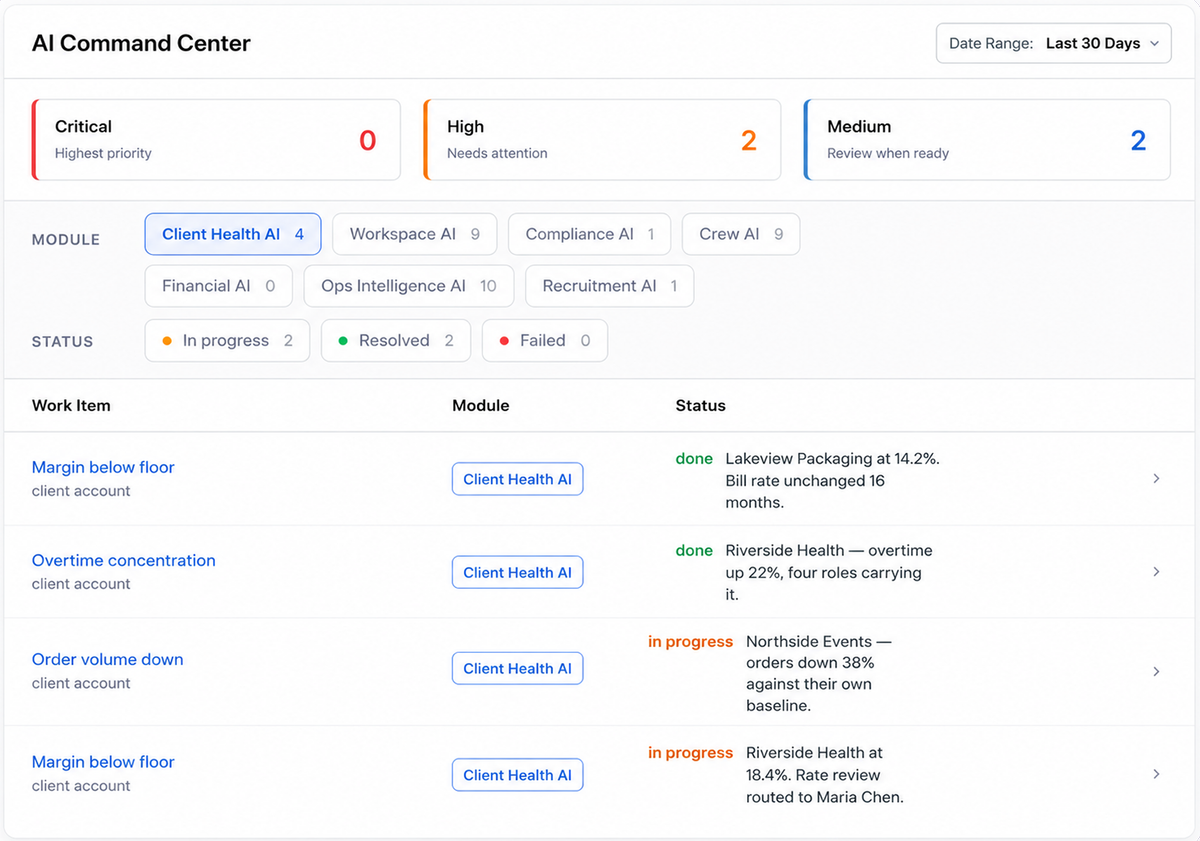
Illustrative view of the AI Command Center filtered to Client Health AI: margin, overtime, and order volume. Every AI agent writes here. Read-only: the Command Center shows what was flagged and where it routed. People decide what happens next.
Client Health AI reads three things off every client account, continuously: margin, overtime, and order volume. Each one is measured against that client's own history, not an industry average. When any of the three moves the wrong way, it surfaces with the number attached and routes to the account manager who owns the relationship.
Signal 1
Margin
Bill rate minus loaded labor cost, per client, tracked over time and ranked against every other account. When an account slips below your margin floor it surfaces with the reason attached, most often a bill rate that hasn't moved while pay rates did.
Signal 2
Overtime
Overtime hours per client, and which roles they're concentrated in. Overtime is the quietest margin leak there is: the revenue looks fine on the invoice while the cost side moves underneath it.
Signal 3
Order volume
Each client's order pace measured against their own baseline. A client placing fewer orders than they used to is the earliest thing you can see, and the only one of the three you can still do something about.
Client Health AI is one of the CrewPilot AI agents, each watching a different part of your operation.
Recruitment AI
Crew AI
Workspace AI
Compliance AI
Ops Intelligence AI
Client Health AI
Financial AI
The AI Command Center is live for every NextCrew account. It is already in your workspace, with no action needed on your end.
CRM is where every client relationship starts, and where everything flows from.
Rates configured in CRM flow into every job order. Job orders flow into timesheets. Timesheets flow into invoices. Set it once at the client level. Run cleanly from there.
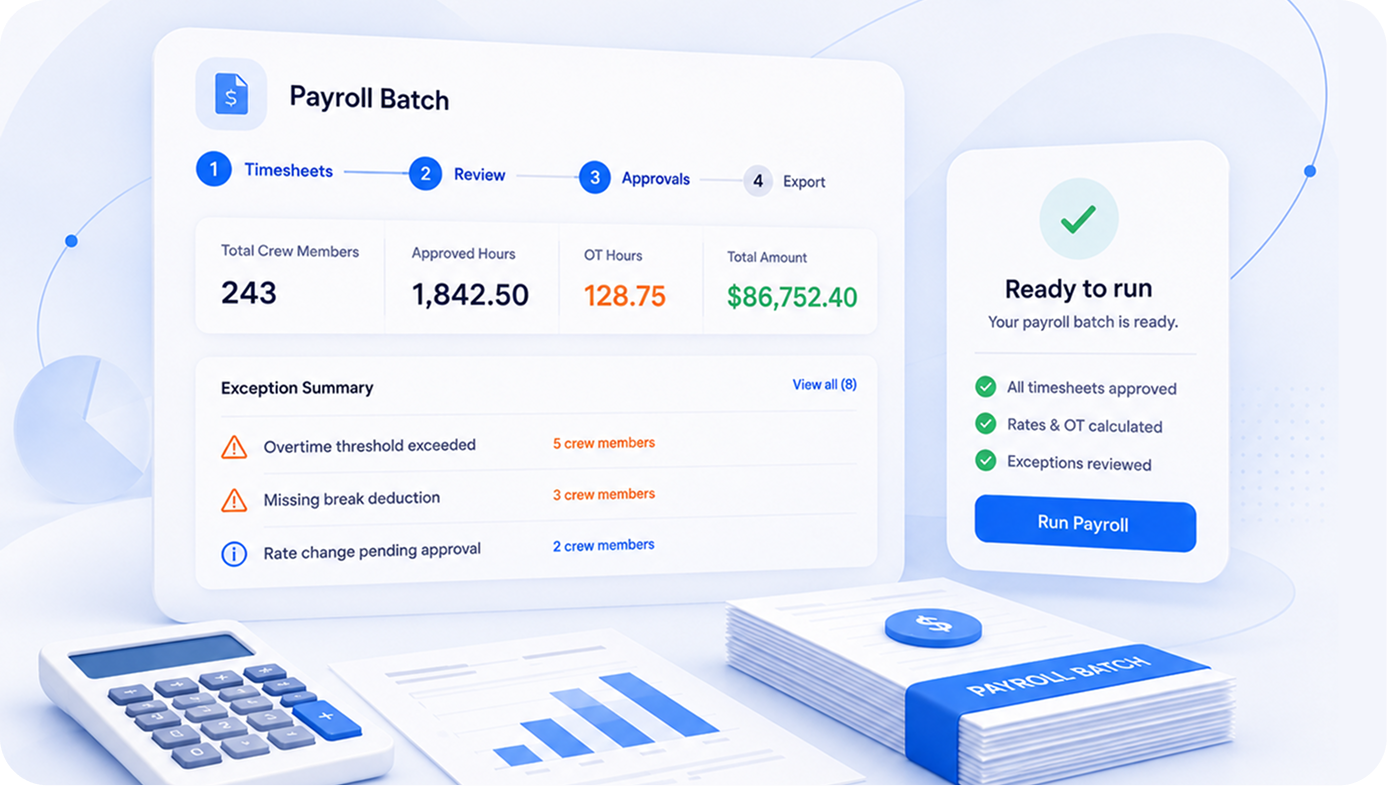
Client bill rates and OT rules flow into every timesheet automatically. Invoices generate with the correct client rates, no lookup, no re-entry, no billing errors.
MARKETPLACE PARTNERS
The Integrations That Keep Every Client Relationship Moving.
NextCrew connects to the CRM, communication, and automation tools that touch every client relationship, with more available through the marketplace.
HubSpot
CRM: keep sales-side records in step with the client record
Salesforce
CRM: for agencies running an enterprise sales stack alongside NextCrew
Zoho
CRM: for agencies whose pipeline already lives in Zoho
Twilio
Communications: SMS to Crew and clients from inside the platform
Zapier
Automation: route client and order events into your own workflows
The Metrics That Tell You Your Client Management Is Healthy.
NextCrew surfaces these in real time. No report needed. Every metric is measured against your agency's own 90-day baseline, not an industry average.
Client timesheet approval rate & speed
What share of clients approve timesheets in the portal instead of being chased by email or phone, and how long approval takes once submitted. Every hour of delay pushes billing further out.
Client-placed job orders
Share of orders clients post themselves through the portal vs. orders a coordinator keys in after a phone call. The clearest measure of how much manual load your clients are handing back to you.
Client-submitted Crew ratings
Which clients rate Crew Members after a job. Ratings feed preferred talent pools directly, so the next request fills from people that client has already approved, instead of from someone's memory.
Client portal adoption rate
Share of active clients placing at least one order, approval, or login per month through the portal rather than by email or phone.
Gross margin per client
Bill rate minus loaded labor cost, tracked per client over time and ranked against every other account. Drifting margin is the earliest signal a rate review is overdue.
Every metric above is calculated from your own NextCrew data and compared against your agency's own 90-day baseline. No external industry benchmark is applied.
What Agencies Say About Running Clients In NextCrew
From healthcare to industrial: clients self-serving, account managers managing, finance teams billing accurately.
We stopped chasing clients for timesheet approvals and rate confirmations. They handle it themselves in the portal. Our coordinators got their week back, and our clients stopped calling about invoice questions.
VL
Volkan Logoglu
CEO, Totally Temps
61%
of B2B buyers prefer a rep-free buying experience for routine transactions.
Gartner Sales Survey, 2025
63%
of businesses using customer portals report meaningful reductions in customer service workload.
Orases Customer Portal Statistics, 2024
CALCULATOR
What Is Manual Client Management Actually Costing You?
Adjust the inputs to match your agency. The output is a transparent calculation, not a projection.
50
5
200
$35
$25
$65
7
1
20
12%
0%
40%
$48,000
$10K
$150K
Coordinator time lost to client requests
$38,220
Annual revenue lost to churn
$288,000
Total annual cost
$326,220
Coordinator time cost = hrs/week × $/hr × 52 × coordinators (≈1 per 15 clients). Churn cost = clients × churn % × avg revenue. Recovering even one in three at-risk clients pays for the system.
WHAT YOU'RE LOSING
Every Week Without A Real Client Management System Is A Week Your Clients Are Drifting.
These aren't projections. Each one is a transparent calculation you can check against your own numbers.
Transparent calculation
$12,740
Per coordinator, per year, on client request handling
7 hrs/week answering client calls and emails about orders, timesheets, and invoices × $35/hr fully-loaded × 52 weeks = $12,740 per coordinator. These are tasks the portal handles directly. Change any input in the calculator above and the number changes with it.
Transparent calculation
156 hrs
Per year on manual client order entry
Every order a client could place themselves is an order a coordinator enters instead. At 10 orders/week per coordinator × 18 minutes per entry × 52 weeks = 156 hours annually, spent on data entry, not on filling jobs.
Margin risk
The net margin a lagging bill rate quietly erases
Staffing net margins run thin. When pay rates rise and bill rates lag (even by twelve months), the margin you have already earned slips toward break-even, one client at a time, and nothing in a contact list tells you which client it is happening to.
Relationship risk
Clients churn without a warning sign being caught
Order volume declines slowly. Approval times slip. Portal logins drop. Each signal looks like noise until the client is already gone. Agencies without relationship monitoring lose clients they could have retained, and the conversation that could have saved the account never happens.
The agencies winning aren't managing more clients. They're losing fewer of the ones they already have.
NextCrew CRM is built around the staffing workflow, not adapted from generic contact management. Each client record holds rate configurations, preferred talent pools, portal permissions, conversation history, and revenue trends. Job orders, timesheets, and invoices pull from the client record automatically, so the relationship and the operational work stay connected.
Configurable per client: from timesheet approval only, to full job order placement, Crew selection, ratings, invoice viewing, and credential access. Available on web and mobile. Each client's portal experience is set by their account manager based on what that specific client wants to self-serve.
Generic CRM software manages contacts and pipelines with no connection to staffing operations: rates, talent pools, timesheets, and invoices live somewhere else. NextCrew CRM is the relationship layer of the staffing platform, so configuring a rate or a preferred Crew Member at the client level changes how every downstream order, timesheet, and invoice behaves automatically.
Yes. Client-configured rates flow into approved timesheets and then into invoices inside NextCrew, and those approved invoices export to QuickBooks or Xero in one click: line items, client codes and GL mappings preserved. No rate re-entry and no double-bookkeeping.
Yes, through any mobile browser or the NextCrew mobile app. Order placement, timesheet approval, Crew ratings, and invoice viewing all work on mobile. Most clients end up doing approvals from their phone within 24 hours of submission.
Each client has a vetted Crew list built from past placements, performance ratings, credentials, and client preferences. When job orders are placed against that client, only their preferred workers surface to coordinators, keeping your full workforce private across clients while giving each client the people they already trust.
Order volume, timesheet approval timing, portal activity, DNR additions, gross margin drift, and revenue trends, all compared against each client's own baseline, not an industry average. When multiple signals line up, a plain-language alert routes to the account manager with the specific signals and a recommended action. It surfaces relationships at risk before the client has made a decision to leave.
Yes. Client records support custom fields, rate structures, portal permissions, and a preferred Crew list that vary by client and vertical. The same CRM handles all of them with per-client configuration, so agencies running multiple verticals don't need multiple systems.
Start with what your account team actually does: take job orders, fill them, bill them and keep the client. A CRM for staffing agencies should hold clients, contacts, prospects and order history in one record tied to the jobs you fill, not just a sales pipeline of deals. It should give clients a portal to request jobs, see who is scheduled, approve timesheets and view invoices. It should rank clients by revenue and margin, so your biggest account isn't mistaken for your best one. And it should share data with scheduling, timesheets and invoicing, so nobody re-enters an order. If a CRM can't tell you which clients are growing and which are slipping, it is a contact list. NextCrew's CRM does each of these in the same platform as job management and invoicing.
SEE IT ON YOUR OWN CLIENT LIST
From first conversation to long-term client, in one connected system.
See how agencies are running every client relationship (rates, portals, preferred Crew, and health signals) without losing any of them to the next call they didn't make.