Staffing Payroll Software. Your payroll provider, not ours.
NextCrew connects approved timesheets to the payroll
provider your finance team already runs, with OT, shift
rounding, reimbursements, and Financial AI anomaly
detection applied before anything reaches payroll.
Most staffing platforms force you to use their payroll. NextCrew built payroll integration to be provider-agnostic.
Payroll software for staffing agencies has one job the generic tools miss: turning approved timesheets into payroll-ready records: overtime, shift rounding, multi-rate pay and reimbursements all calculated before anything leaves the platform. Your finance team already trusts a payroll provider, and forcing a migration to upgrade your staffing platform is a cost no one signed up for. NextCrew connects to whichever payroll system you run (Everee, Paychex, QuickBooks Payroll, or UKG) and feeds it clean, AI-scanned records every cycle.
WHAT MAKES US DIFFERENT
Payroll-Ready Data, Your Payroll System, Your Finance Team Unchanged.
Most staffing platforms treat staffing agency payroll as a captive feature. NextCrew treats it as a connected workflow, built around the providers staffing agencies actually run.
Keep the payroll provider your finance team trusts
No forced migration. No "use ours or lose the integration." Connect to Everee, Paychex, QuickBooks, or UKG, and keep your finance workflow exactly as it is.
Send calculated records, not raw hours
OT rules, shift rounding, multi-rate pay, and reimbursements are processed inside NextCrew before export. Your payroll system receives work-ready records, not a pile of hours to interpret manually.
Same-day pay attracts more Crew Members
79% of hourly workers say they would be more likely to stay with an employer that offers on-demand pay (Asure Workforce Study). Geo-verified check-ins, fast approvals, and Tapcheck or Immediate integration mean Crew Members access earned wages the same day they earn them.
Financial AI catches errors before payroll runs
Rate mismatches, duplicate hours, and statistical outliers get flagged before the export. Coordinators resolve issues in NextCrew, not in your payroll provider, after the fact, days later.
HOW IT WORKS
How Staffing Payroll Software Works In NextCrew: One Pay Cycle, Two Experiences.
Payroll is back-office dominant, but Crew Member visibility matters too. Both experiences run from the same approved-timesheet data.
Staffing team · Back office
Run the pay cycle without leaving NextCrew
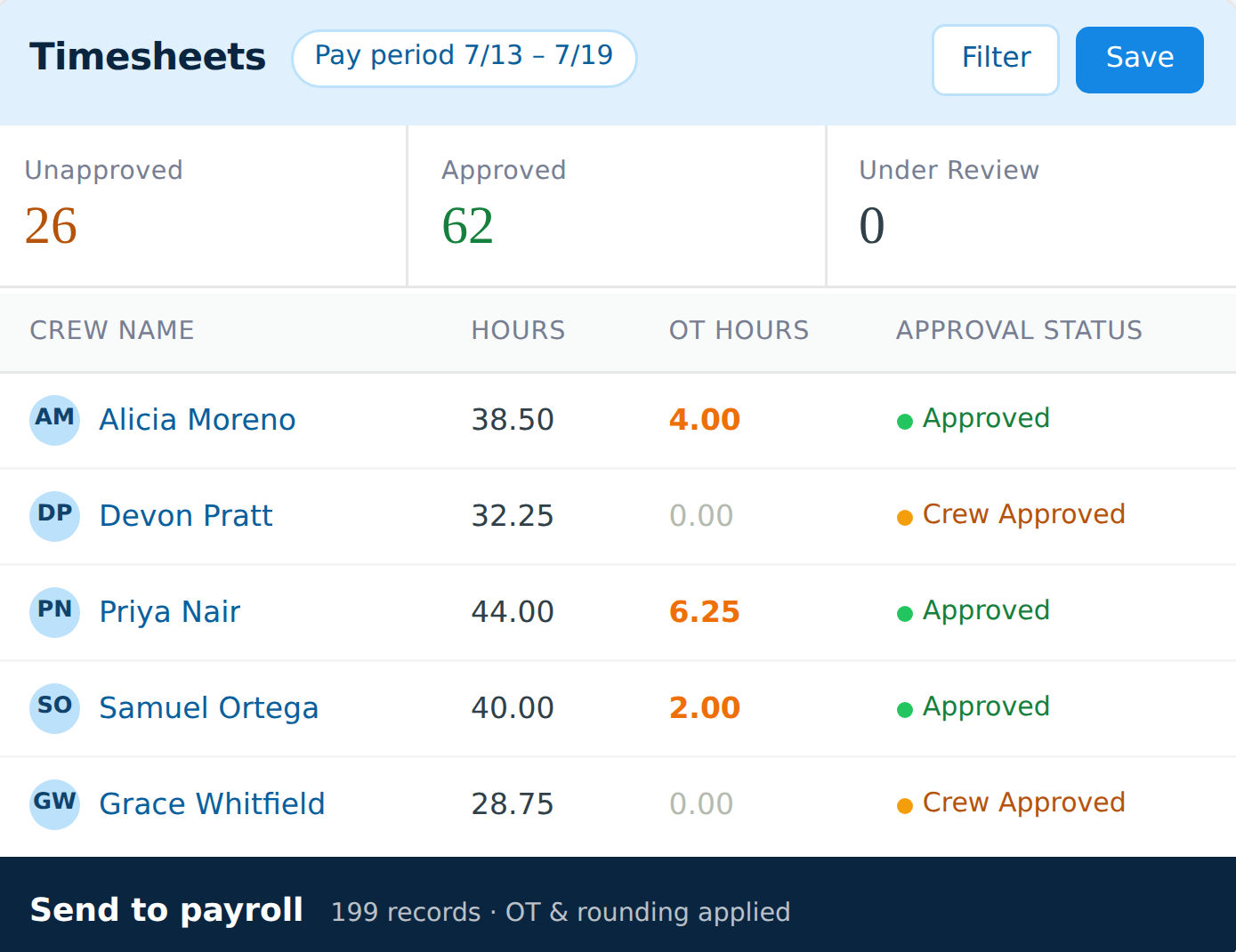
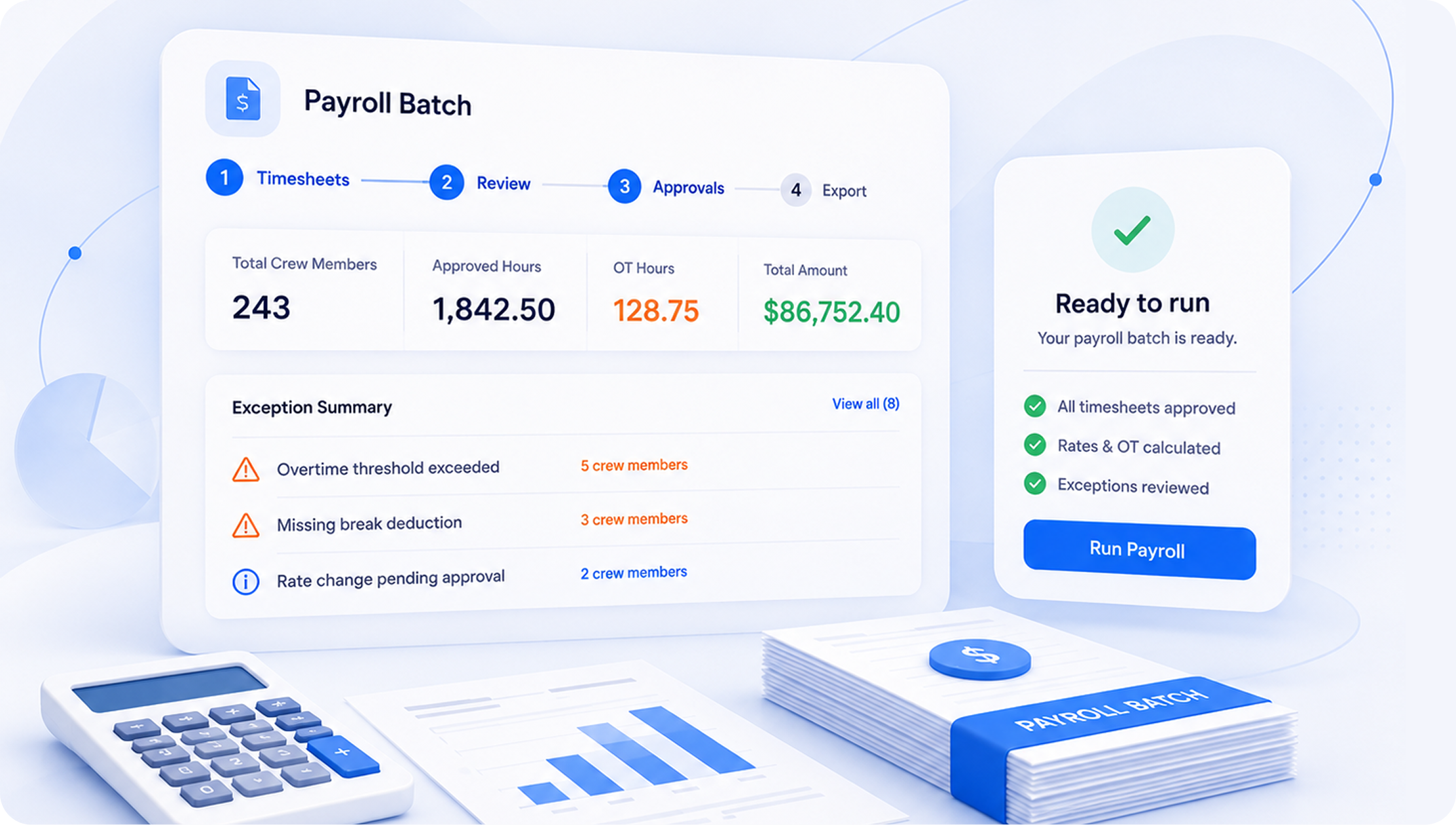
Open the payroll-ready queue. See every approved timesheet with rates and OT already calculated. Any AI-flagged exceptions surface up top with context and a one-click resolution path.
Review and resolve Financial AI exception flags
Apply reimbursements directly to Crew Member records
Export the clean batch in one click
Payroll run prepared in under 30 minutes: no manual re-entry, no spreadsheet bridge, no last-minute corrections.
Crew Members
See pay status without calling the office
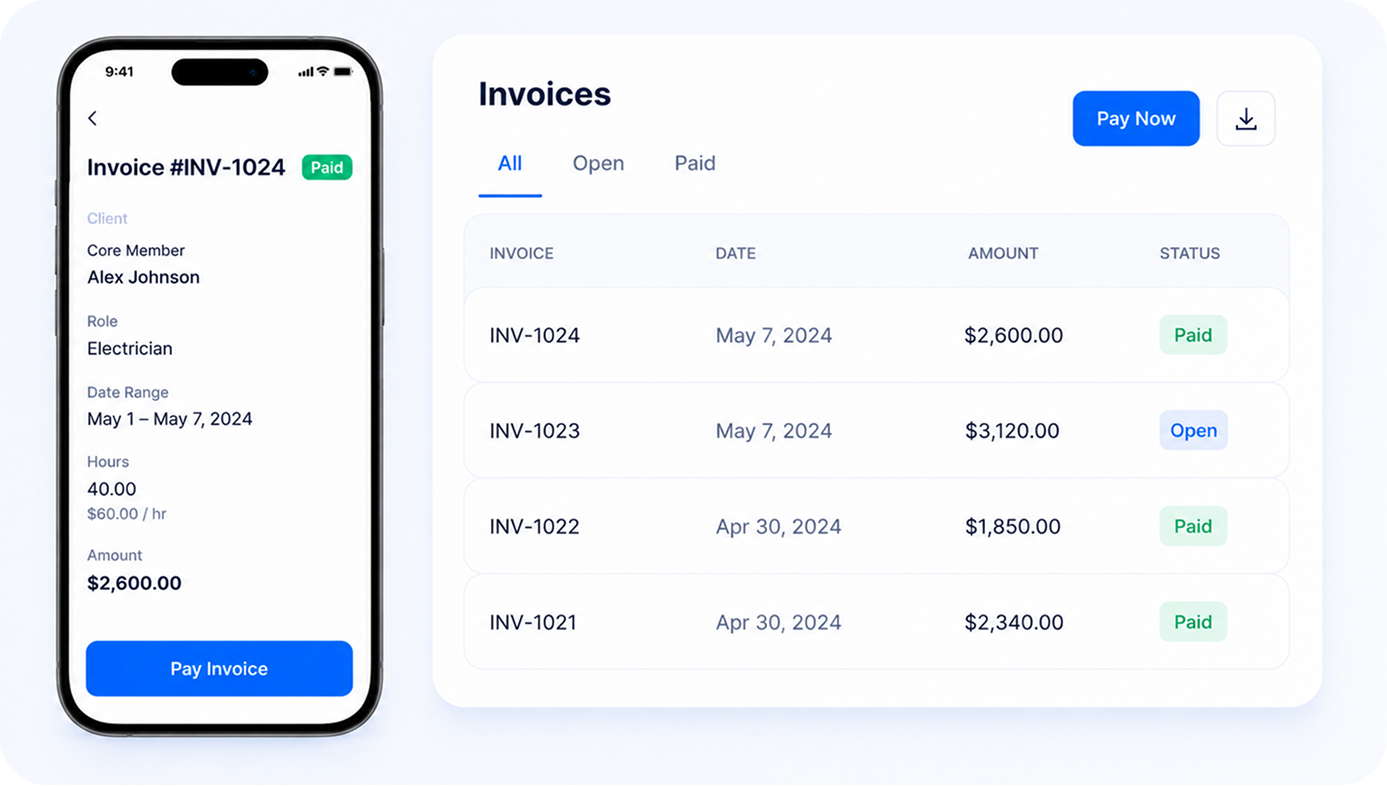
Crew Members see their pay status per job in the mobile app (Pending, Processed, or Paid) alongside their full timesheet history. If the agency has enabled earned wage access, they tap to pull what they've earned.
Pay status visible per job, per pay cycle
Timesheet history and earnings detail in-app
Earned wage access via Tapcheck or Immediate (if enabled)
Fewer "where's my check?" calls to coordinators. Crew Members get visibility without going through the back office.
FUNCTIONS
The Capabilities That Turn A Payroll Run From An All-Day Task Into Thirty Minutes.
Each capability solves a piece of the payroll prep that staffing teams do manually today, and that most platforms can't connect because they're built around their own payroll instead of yours.
Timesheets get re-keyed into the payroll system every cycle
Direct payroll provider integration
Approved timesheets flow into the payroll export queue automatically. Approved pay data flows to Everee, Paychex, QuickBooks Payroll, and UKG in each provider's format. One click, no spreadsheet bridge.
OT calculated in spreadsheets using rules someone hopes are still accurate
Configurable OT calculation per state and client
Configure daily, weekly, state-specific, and blended-rate OT rules once. Every timesheet has OT calculated correctly before export, across multiple states, multiple clients, multiple job types in the same pay cycle. Holiday hours follow a company holiday schedule with client-level overrides, so holiday pay and the matching holiday bill rate apply on the right days for each client.
One Crew Member, multiple pay rates, manual reconciliation every time
Multiple pay rates per Crew Member per job
A nurse working per diem and on-call in the same week. A warehouse Crew Member pulling double shifts at two client sites. Each rate is configured at the job-order level and applied automatically to the right hours, no manual sorting.
Reimbursements get missed in the payroll run, again
Reimbursement tracking bundled into export
Mileage, per diem, equipment costs, and expense reimbursements get added in NextCrew and bundled into the payroll export. Nothing left out of a Crew Member's pay, no separate tracking, no manual flag at the end of the cycle.
A duplicate timesheet surfaces only after payroll has already run
Pre-export anomaly scan
Financial AI scans every batch before export, flagging rate mismatches against the job order, duplicate timesheet entries, and statistical outliers. Coordinators resolve issues in NextCrew before a single error reaches your payroll provider.
Crew Members call all day asking where their check is
Pay status visibility in the Crew mobile app
Once payroll processes, timesheets are marked paid in NextCrew. Crew Members see status per job in the mobile app. Coordinators stop fielding "where's my check?" calls, and back office closes on time.
A PAY CYCLE IN THE LIFE
What Your Back Office's Pay Cycle Looks Like Today, And What It Could.
WITHOUT NEXTCREW
WITH NEXTCREW
Without NextCrew
A coordinator exports a timesheet report, opens the payroll system, and re-keys hours for the whole Crew roster. Same task, every pay cycle, with errors that surface days later.
With NextCrew
Approved timesheets flow into the payroll export queue automatically, calculated, formatted, and ready to send in one click.
OT is calculated by whoever has time in a spreadsheet, using rules they hope are still current for each state, client, and Crew Member classification.
OT rules are configured once (daily, weekly, state-specific, blended) and applied to every timesheet automatically before the export runs.
A healthcare Crew Member's mileage reimbursement gets missed in the payroll run, again. It's a complaint, a correction, and an eroded trust relationship.
Reimbursements are added in NextCrew and bundled into the export. Nothing gets left out of a Crew Member's pay, no separate tracking, no manual flag.
You want to move to a better-priced payroll provider, but your staffing platform only supports one and switching means rebuilding your entire stack.
Switch payroll providers without touching NextCrew. Update the connection, keep your platform, keep your workflows. Provider-agnostic by design.
A Crew Member's hours were entered twice. Nobody catches it until after payroll runs as a double payment that takes three weeks and three conversations to unwind.
Financial AI scans the batch before export: flags duplicates, rate mismatches, and outliers. Resolved in NextCrew before payroll sees a bad record.
Crew Members call coordinators throughout the week asking when they'll be paid, whether their hours got approved, and where last week's check is.
Crew Members self-serve pay status in the mobile app. Coordinators stop being the help desk for the question the app already answers.
CREWPILOT AI
Catch Payroll Errors Before They Become Paychecks, Automatically.
Powered by CrewPilot AI: Financial AI
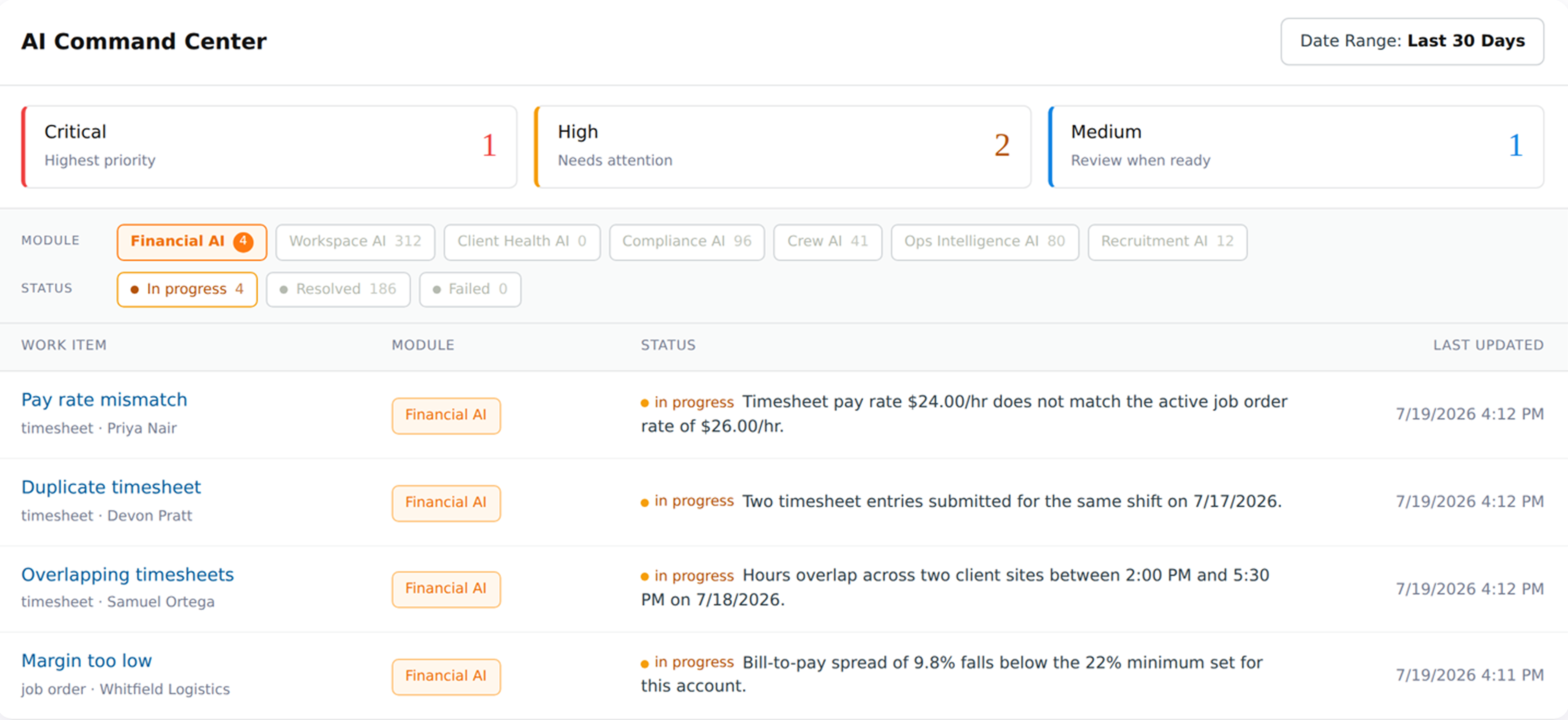
Representative view of the AI Command Center, not a customer screenshot. Financial AI flags the record and routes it. A coordinator reviews and resolves it. NextCrew never adjusts pay data on its own.
Financial AI reviews every timesheet and job order behind a payroll run and flags what does not add up: a pay
rate that does not match the job order, the same job submitted twice, hours that overlap across two client sites,
and job orders where the bill-to-pay spread has fallen under your account minimum. Every flag lands in the AI
Command Center with the record attached and the reason spelled out. Coordinators resolve it in NextCrew
before payroll runs.
Step 1
Detect
Financial AI compares every timesheet against the active job order, the rest of the Crew Member's week, and the margin threshold set for the account.
Step 2
Rank
Each flag is ranked Critical, High, or Medium so the back office works the ones that cost real money first, not a flat list sorted by timestamp.
Step 3
Route
The flag appears in the AI Command Center with the reason written out and the underlying record one click away. Filter by module, severity, or status.
Step 4
Resolve
A coordinator makes the correction in NextCrew and the item closes. The batch goes to payroll clean: no double payments, no rate corrections after the fact.
Financial AI is one of the CrewPilot AI agents, each watching a different part of your operation, all in one place.
Recruitment AI
Crew AI
Workspace AI
Compliance AI
Ops Intelligence AI
Client Health AI
Financial AI
The AI Command Center is live for every NextCrew account. It is already in your workspace, with no action needed on your end.
Payroll Sits In The Middle, Connected On Both Sides.
NextCrew's payroll export module receives clean data from upstream and feeds a single source of truth downstream. Every record flows through one connected system.
Approved, geo-verified, OT-calculated timesheets feed directly into the payroll export queue. Nothing reaches payroll until it's been reviewed and approved.
The same approved hours and rates that fed payroll feed the invoicing engine. One source of truth for pay and bill, zero duplicate data entry between the two.
Every payroll batch (hours, rates, OT, reimbursements, anomalies) feeds the reporting layer. Labor cost analysis, margin tracking, and audit history without a separate report build.
MARKETPLACE PARTNERS
Your Payroll Provider: Already On The List.
NextCrew connects to the payroll providers staffing agencies actually run, plus the earned wage access tools Crew Members ask for.
Everee
Payroll: push calculated hours straight into the pay run
Paychex
Payroll: keep the provider your finance team already runs
QuickBooks Payroll
Payroll: the same export path your invoicing already uses
UKG
Payroll: for agencies on an enterprise HCM stack
Tapcheck
Earned wage access: Crew Members draw pay between cycles
Immediate
Earned wage access: same-day pay without changing providers
Running a provider that isn't listed here? Bring it to the demo. NextCrew's Open API is how additional payroll destinations get connected.
Minutes from "export ready" to "batch sent." The clearest signal of whether the workflow is actually streamlined or just digitally repackaging manual effort.
NextCrew target: under 60 min for 200+ Crew Members · vs. hours of manual prep
Records exported clean
Share of records that pass Financial AI scan and export without coordinator intervention. The leading indicator of upstream data quality.
NextCrew target: 95%+ clean · with pre-export Financial AI scan
Post-run correction count
Number of corrections needed after payroll has already exported: the lagging indicator that retention erodes around. Each correction is a customer service moment.
NextCrew target: under 3 per cycle · fewer corrections, higher retention
EWA adoption rate
Share of eligible Crew Members using earned wage access through Tapcheck or Immediate. A retention signal: adoption correlates with job fill rate and Crew Member tenure.
Healthy: 40–70% adoption · per Tapcheck workforce data
AI flags resolved pre-export
Share of Financial AI anomaly flags that were resolved before the batch exported, vs. surfacing after payroll ran. The measure of pre-export intelligence working.
Healthy: 100% resolved pre-export · zero post-run AI flags
External benchmark: EWA adoption range per Tapcheck workforce data. Cycle-time, clean-export, and post-run correction figures are NextCrew targets, not third-party benchmarks. Dashboard widget shows representative data, not a customer screenshot.
SOCIAL PROOF
What Agencies Say After Connecting Payroll.
From multi-state healthcare to industrial-site staffing, the same pattern: less back-office time, fewer corrections, more retention.
We used to spend most of a day re-keying timesheet data into our payroll provider. With NextCrew's export, we're done in under 30 minutes, and we haven't had a single OT correction in three months.
VL
Volkan Logoglu
CEO, Totally Temps
49%
of employees will start searching for a new job after just two payroll mistakes. Accuracy is a retention strategy.
Workforce Institute at Kronos
79%
of workers would be more likely to stay with an employer that offers on-demand pay through earned wage access.
Asure Workforce Study
ROI CALCULATOR
What Is Manual Payroll Prep Actually Costing You?
Adjust the inputs to match your agency. The output is a transparent calculation, not a projection.
26
12
52
6
1
40
$35
$25
$65
3
0
20
$150
$50
$500
Annual prep cost
$5,460
Annual correction cost
$5,400
Total annual overhead
$10,860
Prep cost = hrs/cycle × $/hr × cycles. Correction cost = corrections × cost × 12. A connected workflow typically reduces prep time by 70–80% and corrections by 90%+.
WHAT YOU'RE LOSING
Every Pay Cycle Without A Connected Payroll Workflow Is A Cycle Your Coordinator Is Doing Work A System Should Be Doing.
These aren't projections. They're transparent calculations and verifiable benchmarks.
$5,460+
Per coordinator, per year, on manual payroll prep
6 hrs/cycle on payroll prep × $35/hr fully-loaded × 26 bi-weekly cycles = $5,460 annually per coordinator. For weekly cycles or larger workforces, this compounds linearly, and that's before any corrections.
$5,400+
Per year on post-run payroll corrections
3 corrections per month × $150 average cost (admin time, resolution, communication) × 12 = $5,400 annually. Each correction is also a moment of eroded trust that contributes to the next metric.
49%
Of employees start job-hunting after two payroll mistakes
From The Workforce Institute at Kronos research: 24% of employees will start looking for a new job after the first payroll mistake, another 25% after the second. Payroll accuracy is a retention strategy, not a finance line item.
Lock-in
Per inflexible platform you stay on
Every month on a platform that forces you to use their payroll is a month you can't move to a better-priced or better-fit provider. The hidden cost of payroll lock-in compounds at every renewal cycle.
The agencies winning aren't running payroll faster. They're running it cleaner, and keeping the Crew Members other agencies are losing to errors.
Everything agencies ask about NextCrew Payroll Integration
No, and that's intentional. Payroll processing is a specialized function, and most staffing agencies already have a payroll provider their finance team trusts. NextCrew connects your approved timesheets to your existing payroll system: Everee, Paychex, QuickBooks, UKG, or others. You keep the provider you know. NextCrew handles everything up to the export: OT calculation, shift rounding, reimbursements, and anomaly detection.
Overtime rules are configured once inside NextCrew: daily OT thresholds, weekly OT thresholds, state-specific rules, or blended rate models. When a timesheet is approved, OT is calculated automatically and included in the payroll export record. Your payroll system receives a fully calculated figure, not raw clock-in/clock-out times. This eliminates the most common source of payroll corrections in high-volume temp staffing.
Platforms with built-in payroll require you to use their system, and switching payroll providers means switching your entire staffing platform. NextCrew is payroll-agnostic: we connect to the payroll provider you already use or prefer, without forcing a migration. If you move from Paychex to UKG next year, you update the connection in NextCrew. You don't start over. For agencies that want flexibility and don't want to be locked into a single payroll vendor, NextCrew's open integration model is the only architecture that supports that.
NextCrew connects to the payroll providers staffing agencies actually run, including Everee, Paychex, QuickBooks Payroll, and UKG, and sends approved, calculated pay data to your system by API or export, with no manual rekeying. If your provider isn't on the list, bring it to the demo. NextCrew's Open API is how additional payroll destinations get connected. And for earned wage access, NextCrew partners with Tapcheck and Immediate so Crew Members can reach their pay on demand between pay cycles.
Yes. Once a timesheet is processed through payroll, it's marked as "Paid" in the NextCrew platform, automatically or manually by your back-office team. Crew Members view their timesheet history and pay status in the NextCrew mobile app. Agencies using Tapcheck or Immediate can also offer Crew Members earned wage access between pay cycles, accessed directly through the app.
NextCrew maintains a full audit trail for every payroll export: who approved each timesheet, when the export was triggered, what data was included, and which records were flagged for exceptions. If you're ever audited or need to reconstruct a payroll run, the complete history is in NextCrew. All data is stored with enterprise-grade security and role-based access controls: only authorized back-office staff can initiate exports or modify payroll records.
Financial AI, part of NextCrew's CrewPilot AI Command Center, reviews the timesheets and job orders behind every payroll run. It flags pay rate mismatches (the timesheet rate doesn't match the active job order), duplicate timesheets (the same job submitted twice), overlapping timesheets (hours booked at two client sites at the same time), and job orders where the bill-to-pay margin has dropped below your account minimum. Each flag is ranked by severity and lands in the AI Command Center with the reason written out and the record attached. A coordinator resolves it in NextCrew before payroll runs. Financial AI flags and routes, it does not change pay data on its own.
NextCrew is built for high-volume, multi-vertical agencies. You can configure different OT rules, rounding rules, and pay rate structures per client, site, or job type, and run them simultaneously. For healthcare agencies handling per diem nurses alongside allied health Crew Members, or industrial agencies managing multiple client sites with different shift structures, NextCrew applies the right rules to the right Crew Members automatically. Batch exports can be segmented by branch, client, or vertical for agencies running payroll across different accounts.
SEE IT ON YOUR OWN PAY CYCLE
From approved timesheet to paid Crew, without changing your payroll provider.
See how agencies close a pay cycle in under an hour (OT calculated to your rules, anomalies caught before the export, and the file landing in the payroll system your finance team already uses) in a live demo of your specific complexity.