
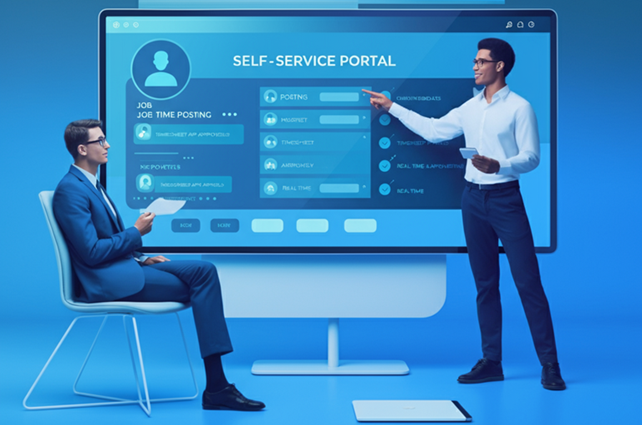
How to Get Clients Using Your Self-Service Portal (and Keep Them on It)
Updated
To get clients onto a client self-service portal, pitch it against a specific problem they already have, make clear their account manager is not going anywhere, start them on one low-stakes task, and prove it works with numbers from their own account. The portal is rarely what fails. Adoption is, and adoption is decided in the first conversation and the first two weeks.
Most agencies pitch a portal the way a vendor would: a list of features and a login. Clients hear "another system to learn" and carry on emailing orders. The agencies that get clients using it pitch the phone call the client no longer has to make, not the software. This is how to run that conversation, what to do when a client pushes back, and how to tell whether it is working. If you are still deciding whether a portal makes sense at all, start with whether client self-service fits your agency.
Key takeaways
- Pitch the pain, not the portal. "You will not have to email orders at 9pm" lands. "We have a new self-service platform" does not.
- Most resistance is a fear of losing the relationship. Say plainly that the account manager stays and the phone still works.
- Start with one task. Timesheet approval or a single low-priority job request. A first success on something small does more than a full walkthrough of everything.
- Prove it with their own numbers. Time from shift end to approved hours, before and after, on their account. That persuades more than any figure about somebody else.
- Measure adoption, not logins. The share of orders and approvals arriving through the portal is the number that tells you whether it worked.
Why do clients resist a self-service portal?
Clients resist because a portal looks like extra work and less service, and both fears are reasonable until you answer them directly. Three objections come up almost every time, and each has a specific answer.
| What the client says | What they are worried about | What to do |
|---|---|---|
| "We don't have time to learn another system." | The switch costs more than it saves | Start with one task and walk them through it live |
| "I'd rather just call you." | Losing the person they trust | Confirm the account manager stays and the phone still works |
| "Our current process works fine." | Risk to something that is not broken | Name the specific delay they live with, and run a side-by-side |
What does a client actually get from a portal?
Five things, and each one is a task they do today by phone or email that the portal lets them do in a minute, at any hour.
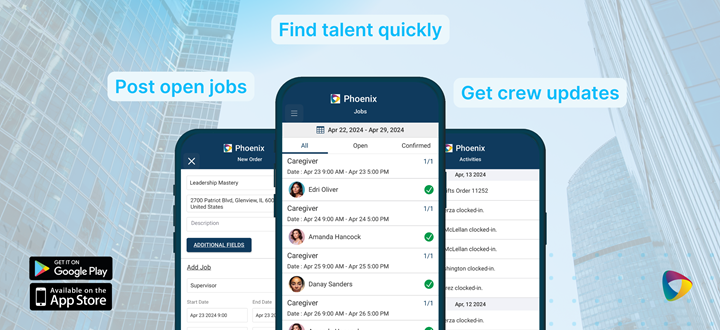
- Requests on their schedule. They raise a job request when they need it, including evenings and weekends, and matching starts straight away instead of waiting for your office to open.
- Their preferred people. They can mark the Crew Members they want back, so a private pool of familiar faces fills their shifts first.
- Live status. Which roles are filled, who has accepted, who is on site. The "where are we with this?" call disappears.
- Orders that are right the first time. They enter the details themselves, so nothing is lost or mistyped between an email and your scheduling board.
- Faster timesheet approval. Hours arrive with clock-in location attached, and they can approve and leave feedback on each Crew Member in the same step.
What does the agency get from it?
Capacity: fewer emails and re-typed orders, fewer errors, and coordinator time returned to the work that keeps accounts. It is worth saying this to your own team as clearly as to clients. The portal is not there to replace anyone. It takes over the labor-intensive routine so your people can spend their time on the client conversations that drive repeat business.
How do you pitch a client self-service portal?
Five moves, in this order: their pain, the reassurance, their own scenario, the cost of change, and a small first step.
-
1
Lead with the pain they already have
Follow-up emails on orders, slow approvals, not knowing whether anyone has arrived. Pick the one this client complains about and open with it: "I know chasing us for confirmations eats into your mornings. The portal shows you who has accepted the moment they do."
-
2
Say the account manager stays
Before they have to ask. "The portal is for when it is convenient for you. If you would rather call, call. Nothing about how we look after you changes." Most resistance ends here.
-
3
Describe it in their own world
For a hotel: "Next time you need twelve banquet servers for Saturday, raise it from your phone on Thursday night and watch the names come in." For a hospital unit: "When a nurse calls out, post the shift and see which of your regulars can cover." For a school: "Log a substitute request before the first bell, without waiting for our office to open."
-
4
Acknowledge that change costs something
"We know anything new feels like extra work at first. We will walk you through it, give you a one-page guide, and you can keep using email while you get comfortable." Naming the cost makes it smaller.
-
5
Offer a live walkthrough and one small first task
Show it working on their own account, then ask them to approve this week's hours or post one low-priority job through it. A demonstration on their data is more convincing than any story about another client.
Watch out
Do not quote results you cannot back up. A percentage saved or a satisfaction score invented for the pitch gets asked about in the next meeting, and it costs you more trust than it ever won. Quote your own numbers once you have them, from a pilot account, and until then let a live walkthrough do the persuading.
How do you onboard a client so they keep using it?
Client portal adoption is won or lost in the first two weeks, so make those weeks easy and make the first success arrive quickly.
-
1
A one-page guide for the task they start with
Not a manual. Screenshots of the three clicks it takes to post a job or approve hours.
-
2
A live session on their own account
Fifteen minutes, their real jobs on screen, questions answered on the spot. Personal attention removes more hesitation than any guide.
-
3
A named person for problems
Their account manager, reachable the usual way. The first issue handled quickly is what decides whether they try the portal a second time.
-
4
A low-stakes first job
Something where a hiccup does not matter. Success there builds the confidence to use it for the urgent ones.
How do you know the portal is working?
Track four numbers per client, and share the good ones back with them — their own improvement is the proof that keeps them using it.
| Metric | What it tells you |
|---|---|
| Share of orders through the portal | Whether they have actually switched, or log in and then email anyway |
| Time from shift end to approved hours | The clearest before-and-after, and the one that shows up in your cash flow |
| Order corrections | Whether orders entered by the client are more accurate than ones re-typed from email |
| What the client tells you | Ask at the next check-in. A client who says it saves them time will say it to their colleagues too |
When you share results, share theirs: "Your hours used to take four days to approve; this month it has been one." That is a sentence they can repeat to their own manager, which is how a portal spreads through a client's organization.
Bottom line: Clients adopt a portal when it removes a problem they feel, when they are sure they keep their account manager, and when their first try is small and succeeds. Pitch the pain, start with one task, and prove it with their own numbers rather than anyone else's.
For the full list of what self-service can cover on both the client and the Crew side, see 9 self-service features for staffing agencies. The client portal itself is part of the client self-service marketplace and the staffing agency client portal in the CRM.
Show your clients the portal before you pitch it
See the NextCrew client portal the way your clients will — job requests, live shift status and timesheet approval — in a live demonstration against your own accounts.
Book a demo