
Updated
In staffing, a VMS (vendor management system) is the software a client uses to request, approve, track and pay for contingent staff from its approved staffing agencies. An MSP (managed service provider) is the company the client hires to run that contingent staffing program, and it usually operates the VMS. For a staffing agency, both sit between you and the client: orders reach you through the VMS, the MSP sets the rules, and a program fee comes out of what you bill.
Most explanations are written for the hospital or enterprise buying staff. This guide covers VMS staffing and MSP staffing from the other side: the agency deciding whether to join a program, trying to win fills inside one, and waiting to get paid by it.
Key takeaways
- A VMS is software; an MSP is a company. The MSP runs the client's staffing program, and the VMS is the system it runs it in.
- The same order reaches every agency in your tier at once. Speed to a qualified submittal usually decides who fills it.
- Program fees come out of your bill rate. Price every VMS order on what you actually keep, not on the headline rate.
- More money is lost after the fill than on the fee. Hours that do not match approved time in the VMS are the most common cause of a late or short payment.
What is a VMS in staffing?
A VMS in staffing is a web-based platform a client organization uses to manage every temporary or contract hire it brings in from outside agencies, from the first request to the final invoice. VMS stands for vendor management system. The client, or its MSP, posts job orders into it; approved agencies (called suppliers) see those orders, submit candidates, and confirm time and invoices in the same system.
For the agency, it is both the storefront where work is posted and the rulebook for how you may compete for it. Examples include SAP Fieldglass and Beeline.
What is an MSP in staffing?
An MSP in staffing is a managed service provider: a company a client hires to run its whole contingent workforce program on its behalf. The MSP decides which agencies are on the program, sets rate cards and rules, distributes orders, tracks performance and manages billing.
An MSP is not a staffing agency. The agency recruits and employs the Crew Members who work the shifts; the MSP manages the agencies.
VMS vs MSP: how do they work together?
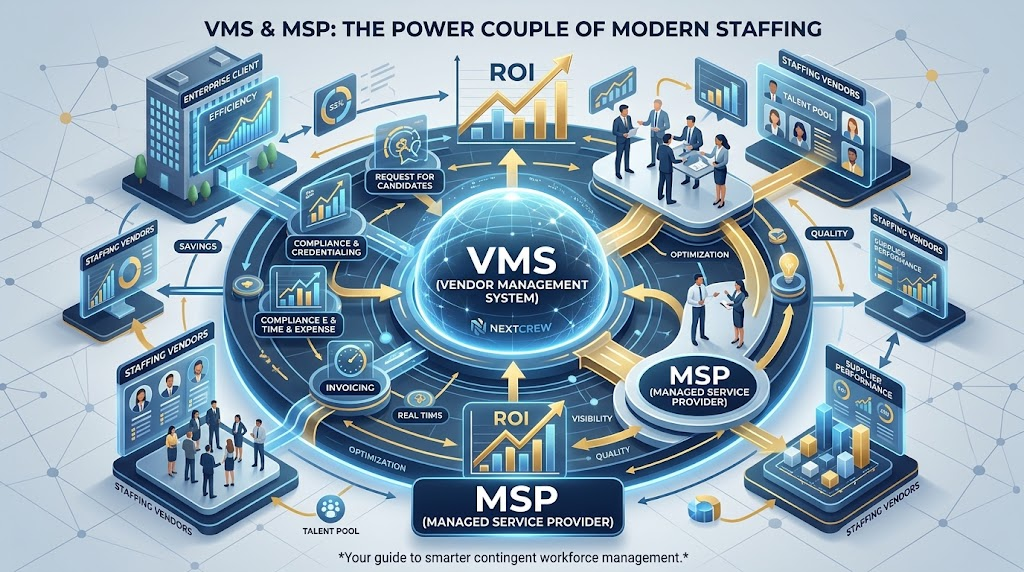
The MSP is the operator and the VMS is the system it operates in. A client can use a VMS without an MSP (running the program in-house), but most MSP programs run on a VMS.
Orders flow from the client down to your agency. Payment flows back, and the program fee is deducted before your agency is paid.
| VMS (vendor management system) | MSP (managed service provider) | |
|---|---|---|
| What it is | Software | A company providing a service |
| Who uses it | Client, MSP and every supplier agency | Hired by the client to manage suppliers |
| What it controls | Orders, submittals, approvals, time, invoices | Which agencies get orders, rate cards, rules, scorecards |
| What you deal with | Logins, required fields, submittal and timesheet rules | Supplier onboarding, performance reviews, fee terms |
How does a job order move through a VMS, from the agency's side?
Every order follows the same path, and the agency controls only a few steps. Details differ by program; this sequence is typical.
- 1The order is posted
The client or MSP creates a requisition with role, dates, requirements and bill rate.
- 2It is released to suppliers
Many programs release in tiers, best-performing agencies first. Every agency in a tier gets it at once.
- 3You submit candidates
You submit qualified, available Crew Members in the VMS, often under a cap on submittals per agency.
- 4The client interviews and selects
Interviews, offers and start dates run through the VMS.
- 5Credentials are confirmed
In healthcare especially, licenses and documents must be complete before the start date.
- 6Time is entered and approved
Hours are entered in the VMS and approved by the client.
- 7The invoice is generated and paid
Many programs invoice from approved time and deduct the program fee before paying you.
Is VMS work worth it for your agency?
VMS work trades margin and client access for volume and predictability, so it is worth it when you can fill fast at the program's rate and still make your number. It is a poor fit when your margin depends on relationship selling, or when you cannot carry the payment terms.
| What you gain | What you give up |
|---|---|
| A steady flow of orders without prospecting for them | A program fee off every hour you bill |
| Access to large clients that buy only through their program | Rates set by a rate card, not by your negotiation |
| Clear, written rules and a scorecard you can improve | Direct contact with the hiring manager, usually restricted |
| One approval and invoicing process instead of many | Payment terms you did not set, which your payroll has to cover |
Before signing, work out four numbers: gross profit per hour after the fee, the cash needed to cover payroll until the program pays, the hours per week you can realistically fill, and the admin time the portal will take. A program can be busy and unprofitable at the same time.
Watch out
Joining a program can put an existing direct client behind the same rules and rates as everyone else. If you already staff that account directly, check what happens to that relationship before you sign.
How do agencies actually win fills in a VMS?
You win VMS orders by being ready before the order arrives, because every agency in your tier sees it at the same moment. The work that decides the fill happens before the order posts, not during the interview.
- Keep a pre-qualified bench for that client. Know who is credentialed, available and willing to work that site before an order exists.
- See the order the minute it posts. Checking portals twice a day loses to agencies that are notified immediately.
- Submit fewer, better candidates. Most programs cap submittals, and a weak one wastes a slot you cannot get back.
- Confirm availability before you submit. A candidate who declines the offer costs you more on the scorecard than not submitting at all.
- Track your own numbers per program. Time to first submittal, submittal-to-interview and fill rate tell you which program deserves your recruiters' hours.
Why submittals get rejected
- A required field, document or certification is missing
- The rate submitted is above the program's rate card
- The candidate was already submitted by another agency
- Availability does not match the full shift pattern or assignment dates
- The submittal arrived after the order was filled or the cap was reached
What do MSP and VMS fees mean for your margin?
Most programs charge suppliers a fee, often a percentage of the bill rate or of billed spend, that is deducted from what you are paid. It may be called a program, admin or VMS fee; the percentage is set in your supplier agreement.
| Illustrative example (made-up numbers) | Per hour |
|---|---|
| Bill rate on the order | $60.00 |
| Program fee at an assumed 3% | −$1.80 |
| What the agency actually receives | $58.20 |
| Pay rate + burden (assumed) | −$48.00 |
| Gross profit per hour | $10.20 (not $12.00) |
Example only. Fee percentages vary by program; use the figure in your own agreement.
Bottom line: price every VMS order on the rate after the program fee. A small percentage off the top can take a large share of your gross profit.
When do you get paid, and where does money go missing?
In most programs you are paid on approved time, on the program's payment terms, and the fee is deducted before the money reaches you. That means your invoice is only as good as the hours approved in the VMS, and a mismatch delays the whole amount, not just the disputed hours.
The client approves hours in the VMS, including overtime and any differentials the program recognizes.
Many programs create the invoice themselves from approved time and deduct the program fee.
Payment follows the terms in your supplier agreement, while you have already paid your Crew Members.
Four things are worth checking every pay period: hours that do not match approved time in the VMS; overtime, holiday or shift differentials the program treats differently from your payroll; assignments that ended without being closed in the portal; and credits applied with no line-level explanation. Reconcile at the assignment level, not the invoice total, and chase a discrepancy the same week it appears — see staffing invoicing.
How do you get onto a client's VMS as a supplier?
You get onto a VMS program by being approved as a supplier by the client or its MSP, not by signing up for the software. Programs add suppliers when they need coverage they are not getting, so the route in is to find who runs the program and ask to be added to the supplier pipeline for the roles and locations you can genuinely cover. New agencies usually start in a lower tier and move up on performance.
VMS readiness checklist for agencies
- Supplier paperwork ready. W-9, certificates of insurance at the required limits, and any required licenses.
- Supplier agreement read line by line. Fee, payment terms, submittal limits, conversion and non-solicit.
- Credentials audit-ready. Every Crew Member you might submit has current licenses and documents on file.
- A named owner for each VMS. Someone who watches new orders and submits the same day.
- Margin math per program. Gross profit after the program fee, not before it.
- Time and invoices that match. Your hours reconcile to approved VMS time every pay period.
- Your scorecard tracked. Fill rate, time to submit and compliance decide your tier.
Credential readiness is where healthcare agencies most often get stuck. Our guide to healthcare staffing credentialing covers how to keep it under control.
How do VMS and MSP programs work in healthcare staffing?
Healthcare is one of the heaviest users of VMS and MSP programs, because hospitals buy travel, per diem and contract clinicians from many agencies at once. Most run through a healthcare VMS operated by the health system's MSP. For a healthcare staffing agency, orders move fast, credentials must be complete before a submittal counts, and your MSP scorecard decides your tier. Per diem desks feel this most; see how per diem nurse staffing is changing.
Where does your own staffing software fit?
The VMS is the client's system; your staffing software is yours, and the handoff between them decides how fast you submit and how cleanly you get paid. Agencies on several programs often end up copying orders by hand from multiple portals.
NextCrew connects to VMS and MSP programs through the VMSpark integration, which brings requisitions from more than 100 VMS and MSP connections into NextCrew and notifies matching Crew Members, so your shortlist is ready while the order is still fresh. Submission stays in the VMS itself, because every VMS has its own criteria. Approved hours then flow into invoicing, so what you bill matches what the program approved.