
How to Prevent and Track Staffing No-Shows: A Guide for Agencies
Updated
To prevent staffing no-shows, send complete job details with a confirmation the Crew Member has to act on, remind them automatically before the shift, give them the exact location and a named on-site contact, and have a reassignment workflow ready for genuine emergencies. To reduce them over time, record every no-show against the shift instead of deleting it, and review the patterns by Crew Member and by client.
No-shows are not rare in event, hospitality, industrial or healthcare staffing. They are a recurring disruption, and each one costs you a service gap, a scramble for a replacement and a little of the client's trust. Many of them are preventable, and the rest can be managed far better than with a phone and a spreadsheet.
Key takeaways
- Most no-shows start with a communication gap. Unclear instructions, a missing reminder or a location the Crew Member cannot find.
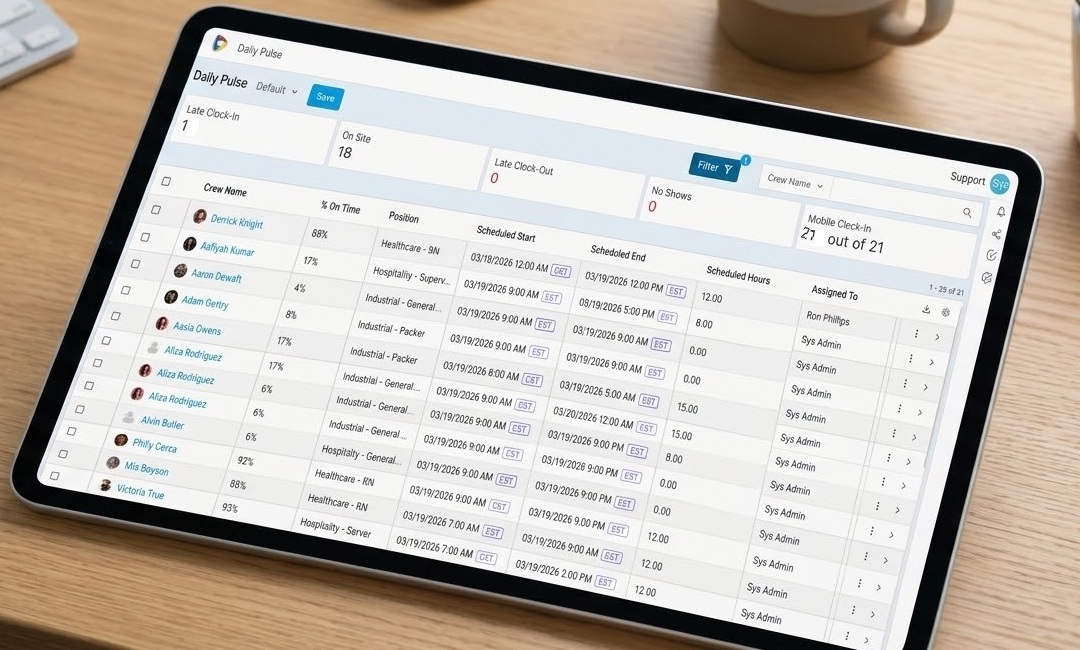
- Watch for the false no-show. A Crew Member who is on site but cannot reach anyone to confirm arrival looks exactly like an absence.
- Automate the routine. Confirmations, reminders and clock-in prompts should not depend on a coordinator's memory.
- Never delete a missed shift. Tag it, record it and report on it, or you lose the pattern that would let you fix it.
Why do staffing no-shows happen?
Usually because something between the booking and the shift went unsaid or unseen. The common causes fall into three groups:
- Missing or unclear information. An incomplete address, no entry instructions, an outdated contact name, or a message about running late that nobody on your side saw.
- Forgotten shifts. Crew Members juggling several assignments or other work simply lose track without a reminder or a calendar entry.
- Genuine emergencies. Illness, transport failures or family matters. You cannot prevent these, but you can shorten the time it takes to cover them.
The false no-show
Sometimes the Crew Member is on site but cannot find the right entrance or reach the supervisor to confirm arrival. The client reports an absence, your coordinator starts calling for a replacement, and two people end up at the same shift. Precise location details and a named on-site contact prevent most of these.
What does a no-show really cost?
More than one missed shift. The cost spreads across your operation and your client relationships:
| Impact | What it looks like |
|---|---|
| Service gap | The client is short-staffed and notices before you have a replacement |
| Coordinator workload | Planned work stops while someone works the phones |
| Emergency cost | Replacement shifts at short notice, often at a higher rate |
| Reliability | The client starts to doubt you can deliver consistently |
| Contract risk | Repeated gaps come up at renewal and put revenue at risk |
Why does manual coordination make no-shows worse?
Because messages get lost and nobody has a live view of who has confirmed, who is on the way and who is on site. Calls, texts and spreadsheets work at small volume. As shifts multiply, a Crew Member's message that they are lost or running late reaches the wrong person, or nobody. Coordinators end up reacting to every gap instead of seeing it coming.
How do you prevent staffing no-shows?
Five steps, each of which can run automatically.
-
1
Send complete job details with a trackable confirmation
Role, times, dress code, what to bring, address and on-site contact, in one message the Crew Member confirms. An unconfirmed shift the day before is your early warning.
-
2
Send automatic shift reminders
A reminder by app notification, text or email ahead of each shift cuts forgotten shifts. Schedule them; do not rely on someone remembering.
-
3
Check who has acknowledged
Ask Crew Members to confirm the job, then check the day before who has acknowledged it. No acknowledgment is your cue to message them, call, and line up a backup.
-
4
Share the precise location
A map pin, the right entrance, parking and who to ask for. This is what prevents the false no-show at large venues and complex sites.
-
5
Make cancellation and reassignment fast
Give Crew Members a simple way to cancel through the app, and send the open shift straight to other qualified, available Crew Members with workforce scheduling software. Good shift cancellation management means the gap is covered before the client notices.
Reminders work best behind a written rule. Our no call no show policy template for staffing agencies covers what counts, how to call off and what happens next.
How should you track no-shows?
Record every one against the shift, then report on the patterns. Deleting a missed shift from the schedule makes the week look tidy and throws away the data you need.
-
1
Keep the shift and tag it
Leave the shift and its timesheet in place and mark it as a no-show, so history and reporting stay accurate.
-
2
Record a violation
Create a record linking the Crew Member to the client and shift. Over time this builds a reliability history, so repeat issues at a particular client can be spotted and discussed.
-
3
Track the replacement
Note whether the shift was covered, by whom and how quickly. This shows how well your team recovers and whether your reassignment workflow is working.
-
4
Run reports by Crew Member and by client
Look for a Crew Member who misses shifts repeatedly, or a venue where no-shows cluster. The second often points to a location or instruction problem you can fix.
Bottom line: Most no-shows are communication failures, and communication can be systematized. Confirm, remind, locate and reassign automatically, record every miss honestly, and the number goes down.
Location matters as much as the reminder: see how geofencing confirms arrival on site. Better matching also prevents no-shows in the first place, as covered in smart job matching for staffing agencies.
See no-show prevention and tracking in action
Watch a confirmation, a reminder, a cancellation and a reassignment happen in the app, and see the no-show report by client, in a live demonstration.
Book a demo